Welcome to the Reddit-like Platform! This guide will assist you in setting up the platform effectively.
Here’s a step-by-step guide to setting up the Reddit-like Platform:
Step 1: Administrator Setup
1.1 Create an Admin Group
Contact System Administrator: Reach out to the project leader or system administrator via email at ch.zhuoqi@gmail.com. The system administrator will then send you a registration invitation email. The system administrator can also help you create an administrator group directly in the
Admin Tooland grant the applicant the necessary permissions. This requires you to provide the necessary application information in the email, including the group administrator’sreal name,nickname, anduniversity name.
1.2 Add Administrative Members
Log in as Admin: Access the
Admin Toolwith your admin credentials.Add Members: In the admin panel, add members to the admin group to grant them administrative privileges.
Refer to the Admin Group Documentation for detailed instructions.
Step 2. Project and Community Management
2.1 Create and Edit a Reddit-like Project
Navigate to Reddit: In the
Admin Tool, go to the “Reddit” section.Create New Project: Click on “Add Reddit” and fill in the necessary details for your Reddit-like project.
Edit Project: On the Reddit edit page, you can select actions for both posts and comments. If the available system actions don’t meet your needs, you can create custom action buttons. There are multiple button types to choose from, you can create up to three custom buttons.
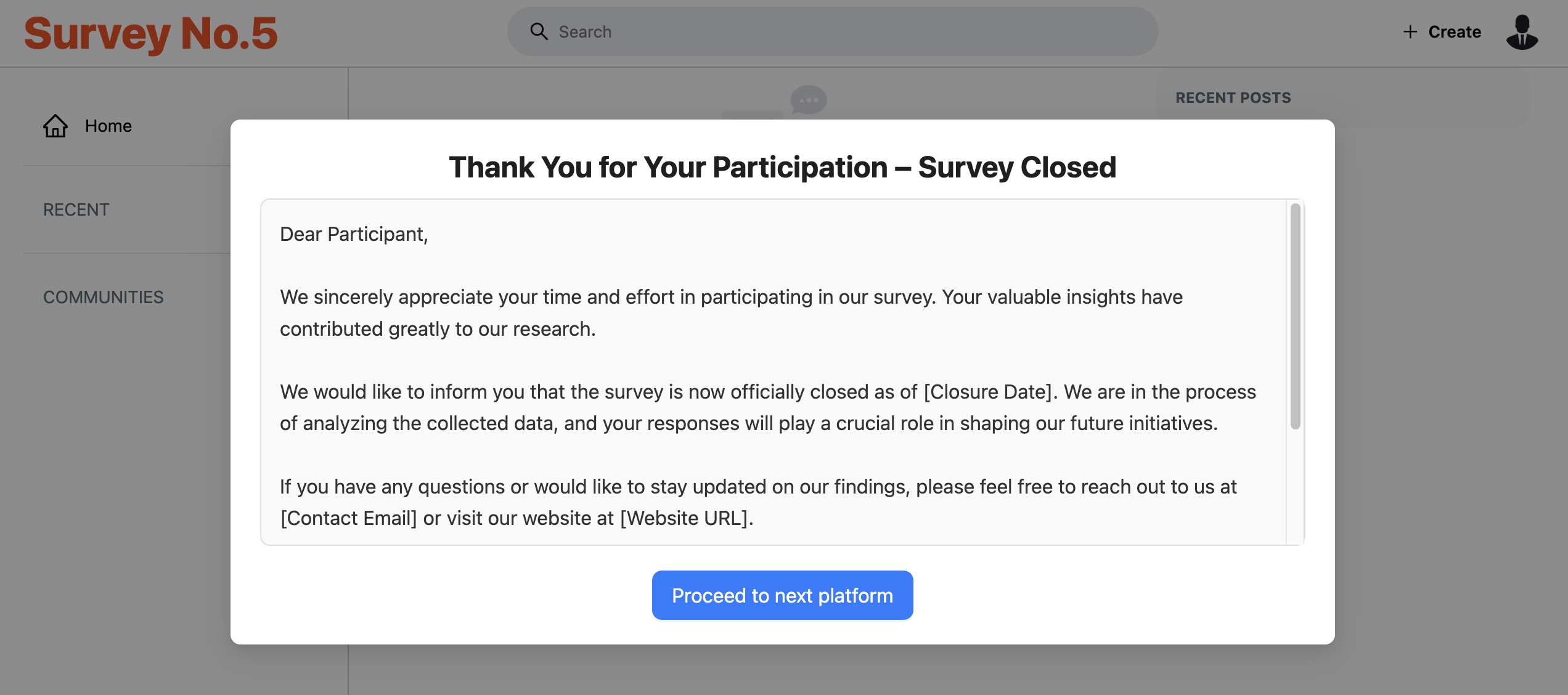
Optionally, you can set a close date for the current Reddit. Remember to add a notification for participants. You can also provide a redirect URL to guide participants to a third-party platform. Here’s an example:
Refer to the Reddit Documentation for more details.
2.2 Retrieve Permanent Links
Retrieve Link: Within the reddit-like project list, get permanent entry link of the project which can be used for Qualtrics redirects.
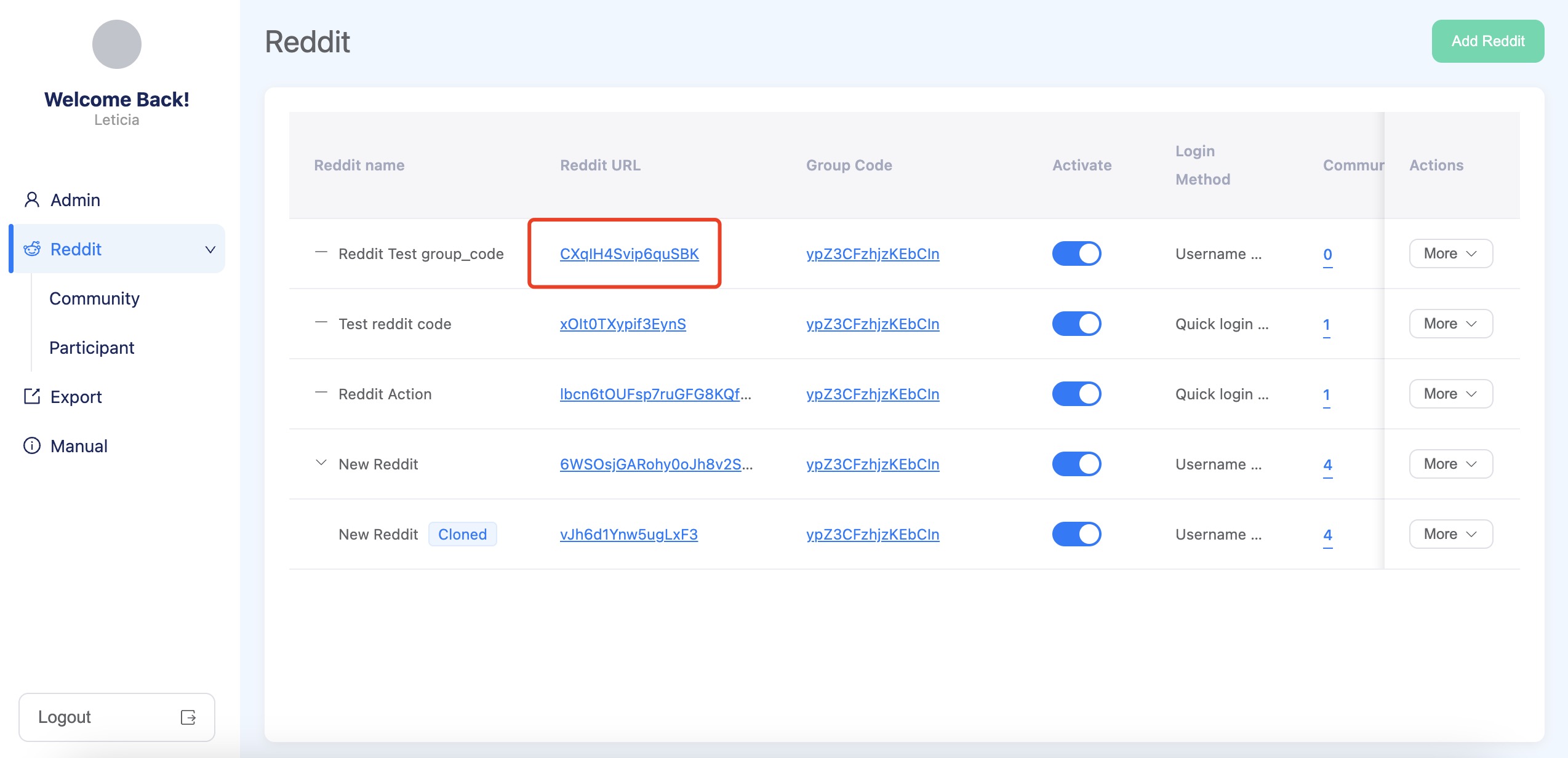
Note: All projects in the same management group belong to the same project group, which has only one group entry link (see below). If you want to use multiple projects in your survey, just copy the group entry link to Qualtrics or other third-party platforms, and once clicked, the link will randomly redirect participants to a project in that group.
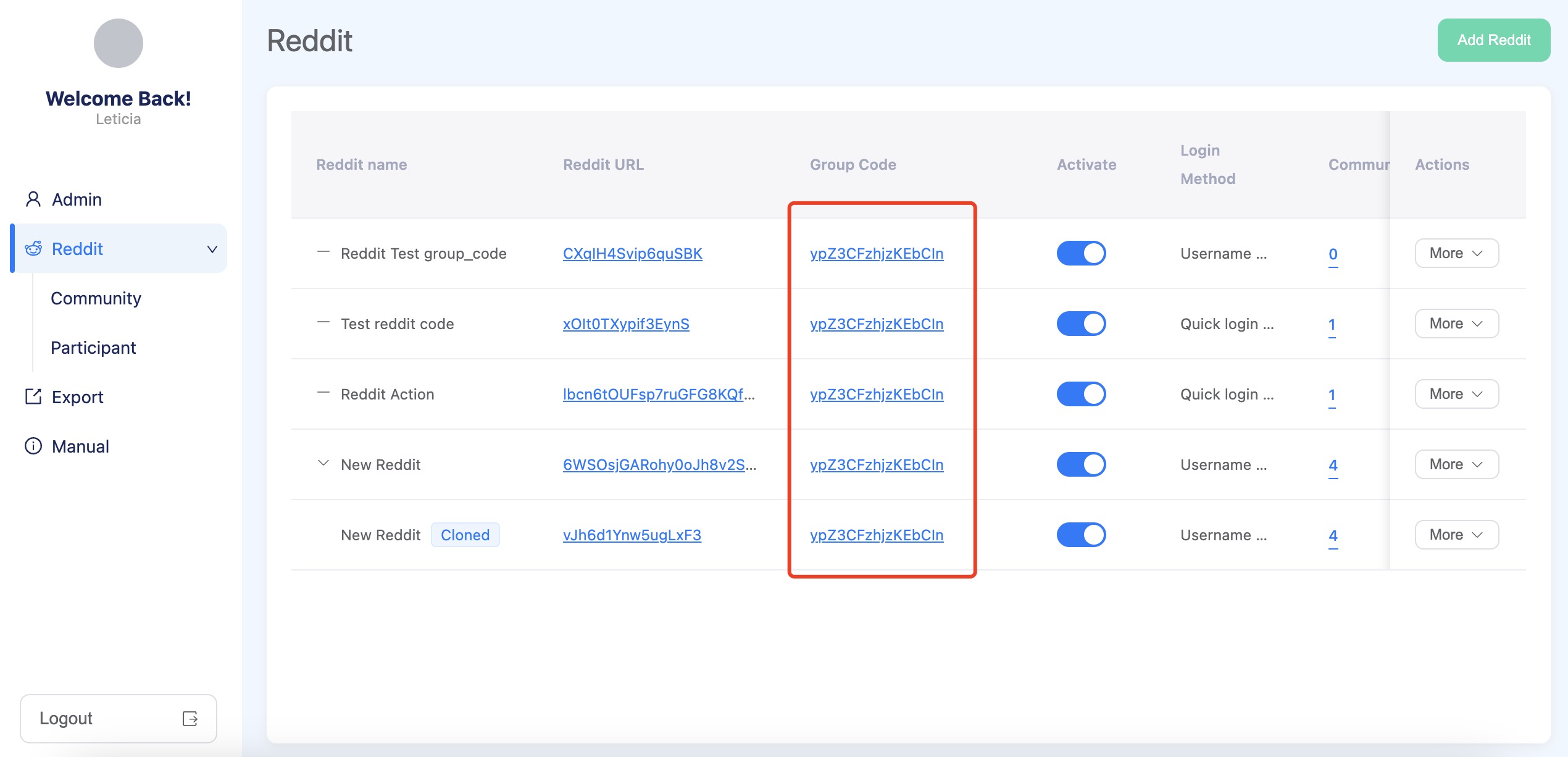
2.3 Configure Qualtrics Redirect Links
Access Qualtrics: Log in to your Qualtrics account.
Set Up Redirect: In your survey settings, configure the end-of-survey experience to redirect participants back to the
reddit-like-platformusing the appropriate permanent link of certain project(s).
2.4 Create Communities (Subreddits)
Navigate to Community: Go to the “Community” section in the admin panel.
Create New Community: Click on “Add Community” and input the required information to establish a new community(subreddit).
Refer to the Community Documentation for more details.
Step 3. Data Import and Project Activation
3.1 Import Data
Import Content: In the admin panel, use the “Community Data Import” feature to upload members, posts, and comments relevant to the project.
Detailed steps are available in the Community Data Import Documentation.
3.2 Activate Project and Notify Participants
Activate Project: Once data import(optional) is complete, activate the project within the platform settings.
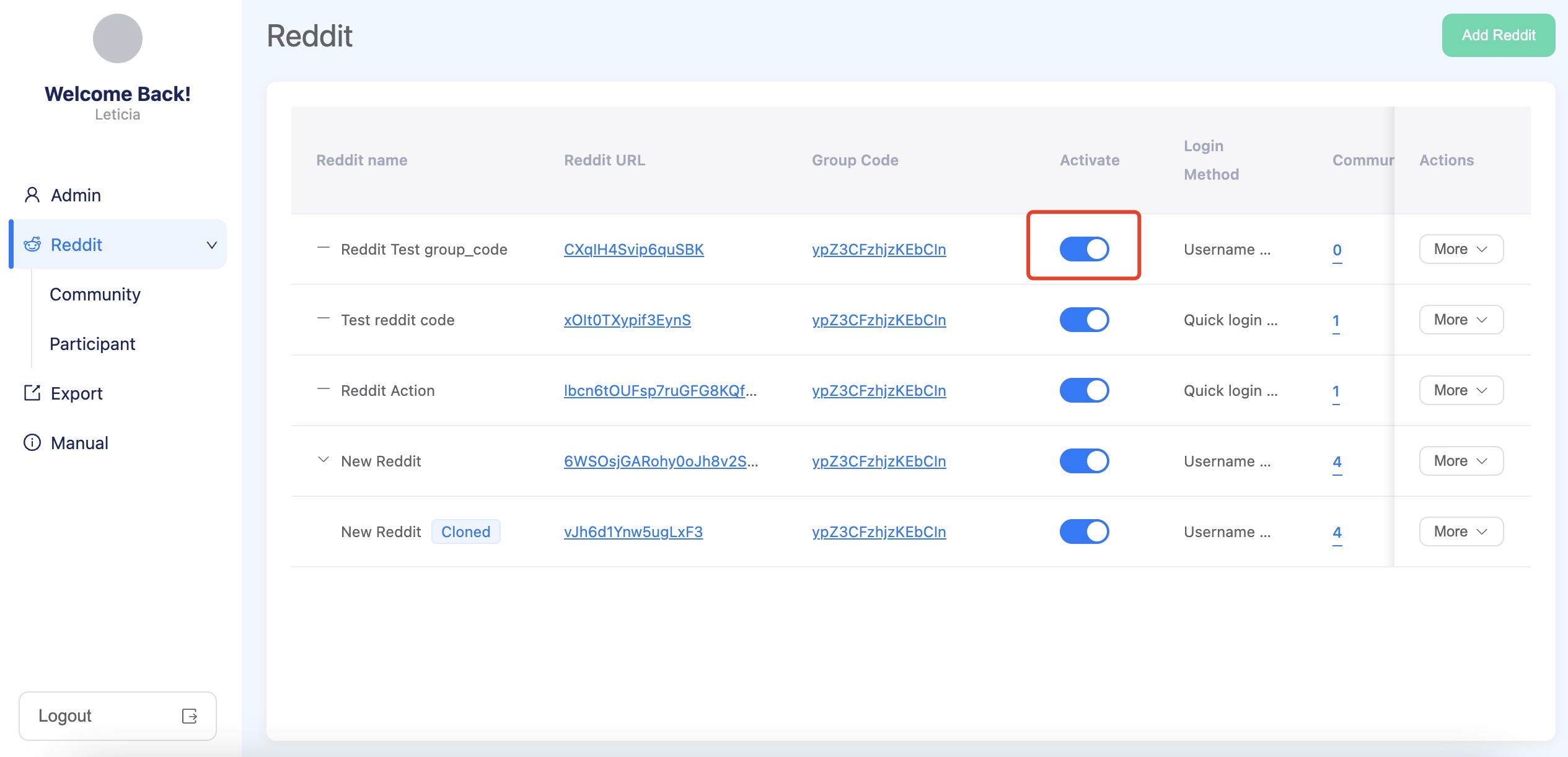
Step 4. Participant Engagement
4.1 User Participation in Qualtrics Survey
Access Survey: Participant receive a link to the Qualtrics survey and participate the questionnaire.
4.2 User Registration on Reddit-like Platform
Registration: Once the redirect link is triggered on Qualtrics or another platform, participants are automatically redirected to the
reddit-like-platform, where their third-party platform ID information is carried through the link for registration.
Log In: Participants log in to the
reddit-like-platformusing their registered credentials.Access Community: Upon login, participants can access and join the communities (subreddits) associated with their projects.
4.3 Display Survey Completion Prompt and Redirect
Show Prompt: Admins can set the prompt title, prompt content, redirect URL and the experiment end date in the reddit edit page in the Admin Tools.
The platform continuously checks if the platform meet the predefined conditions. Once the condition is met, the prompt will appear, giving the participants the option to redirect to a specified page or platform.
For more detailed information and advanced configurations, please refer to the official documentation.